🎶 KHITA — a Thai and folk instrument plugin for modern music
Thai identity, reframed for a global stage
KHITA is a new kind of Thai and folk instrument library. Realism is only half of it: every instrument is also built to be bent, filtered and re-shaped as a synthesizer, so you can write something contemporary and unmistakably your own — from ARAN STUDIO.


🔥 What makes it worth your time
💻 How you use it, and what you own
Give every note a Thai voice in a global style — start building a sound nobody else has, with KHITA.
Download the trial
Anyone can read this page, but you need to create an account and log in before the download unlocks. The trial runs fully for 7 days, with 20 of the 42 instruments playable.
Latest version: Windows 1.1.4 · macOS 1.1.6
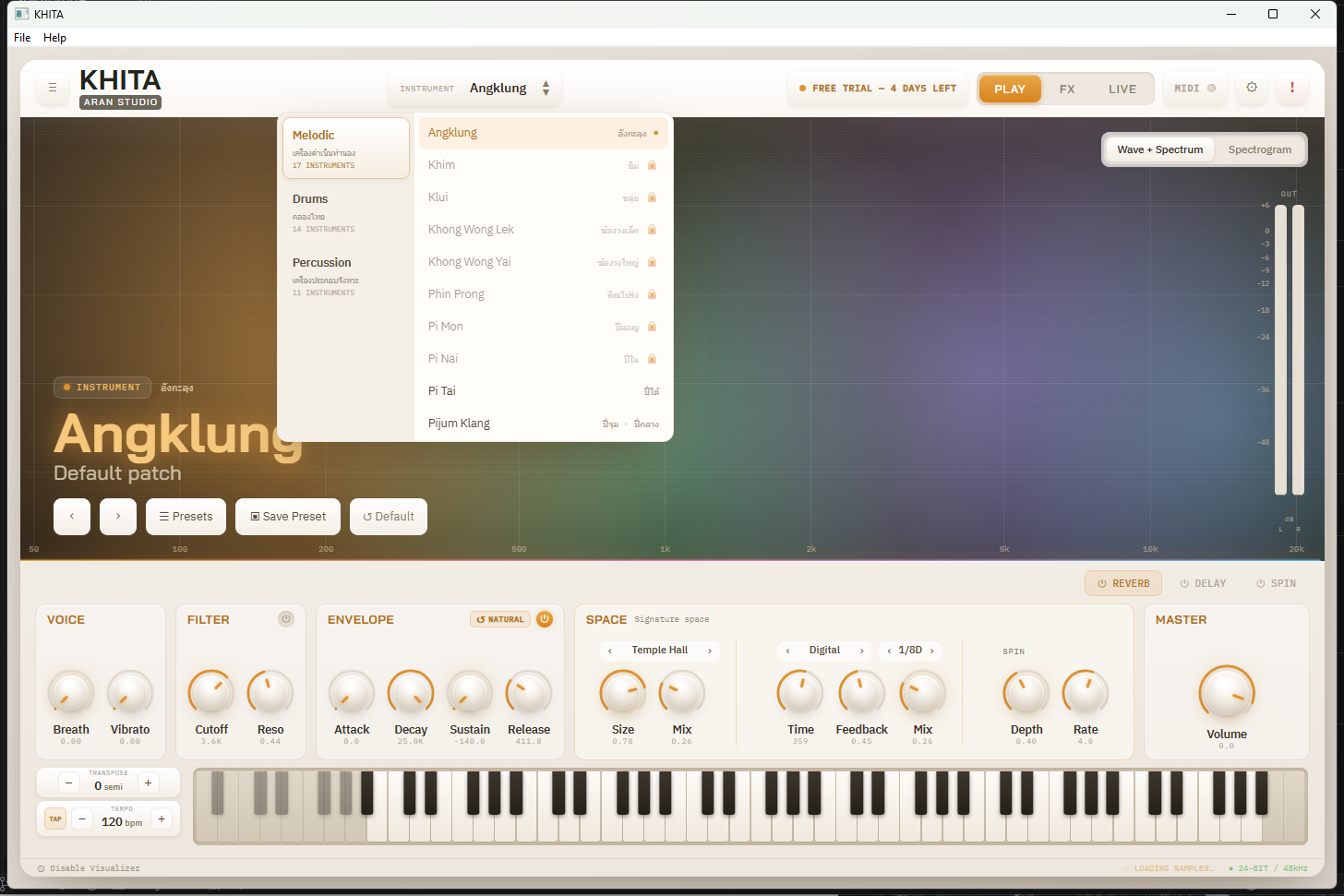
All 42 instruments, in 3 families
🎼 Melodic instruments — เครื่องดำเนินทำนอง
17 instruments🥁 Thai drums — กลองไทย
14 instruments🎵 Percussion — เครื่องประกอบจังหวะ
11 instruments🎁 In trial marks the 20 instruments the trial unlocks fully. The other 22 show a 🔒 — clicking a locked one opens the license key window right away.
The main features
🎹 PLAY — play it, then shape it
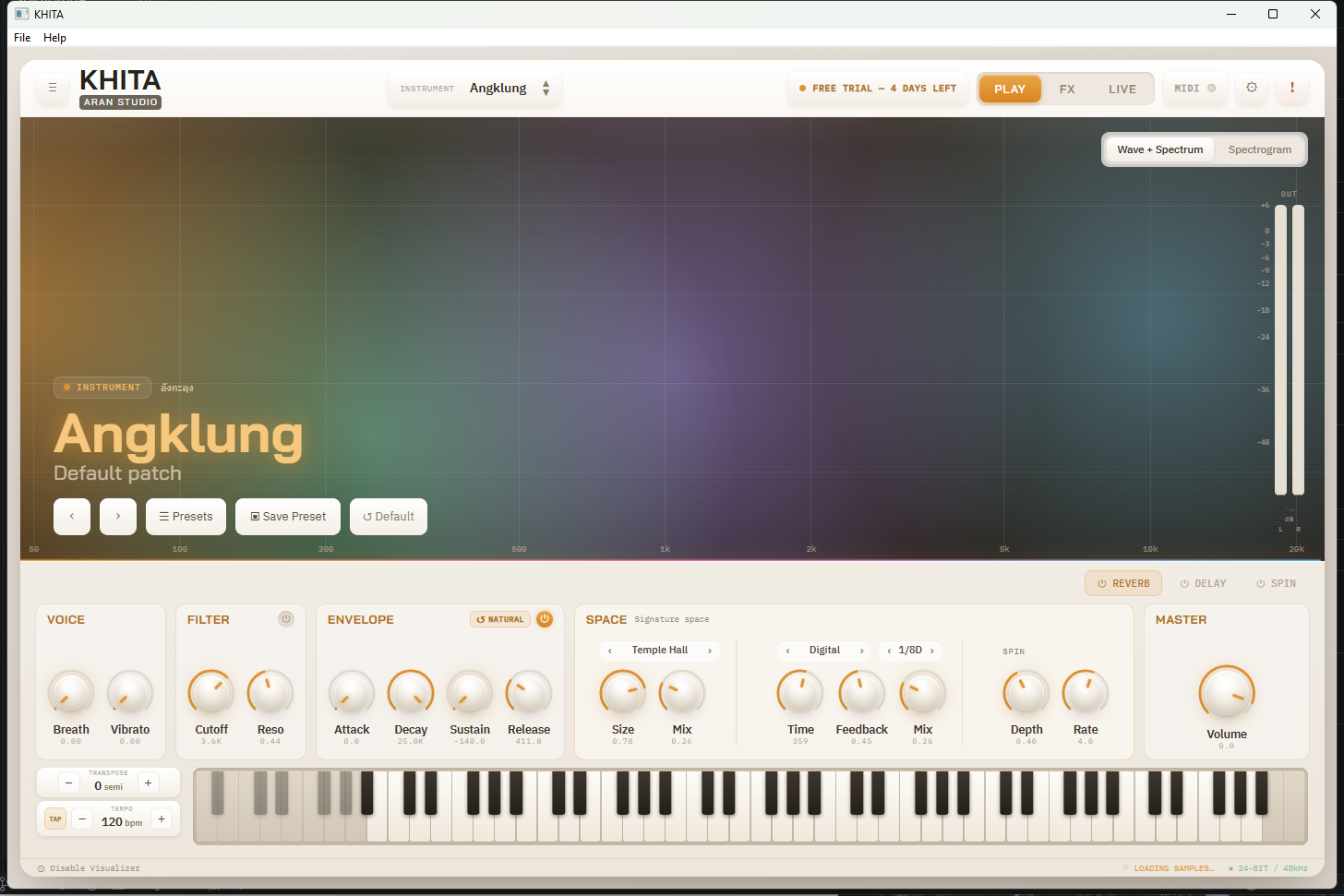
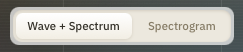
KHITA's main page: pick an instrument from the menu at the top, then shape Voice (Breath/Vibrato), Filter (Cutoff/Reso), Envelope (Attack/Decay/Sustain/Release, set from how each real instrument actually behaves) and Space (a signature reverb per instrument) — all on one screen, with the on-screen keyboard below and a Wave+Spectrum or Spectrogram visualiser top right. Plug in a sustain pedal (MIDI CC64) and it works exactly as it does on a piano or hardware synth.







🎛 FX — the deep layer
The FX tab lays out the full signal chain: Voice → Filter → Spin → Delay → Reverb → Output. Click a module to reach its deep parameters — and whatever you change here stays in sync with the PLAY page.
- Filter — three types (LP / BP / HP) with Cutoff, Resonance, and a Drive knob that adds warmth or bite through saturation.
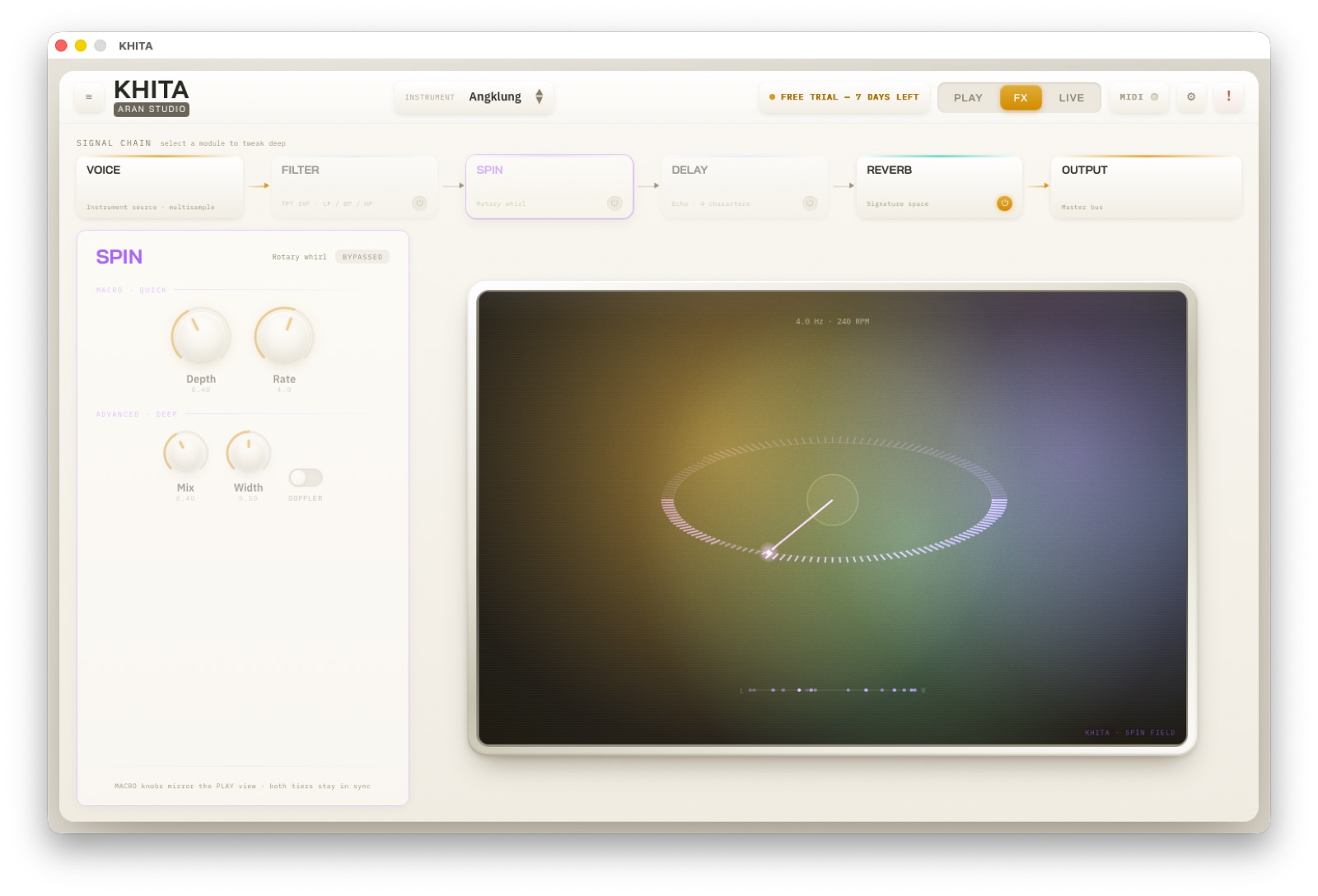
- Spin — a stereo rotation effect with Depth / Rate / Mix / Width, plus a Doppler switch for the physical swing of a real rotating speaker.
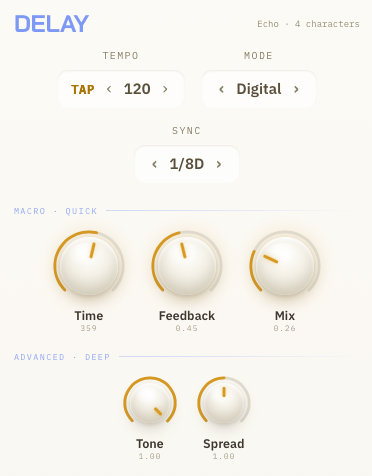
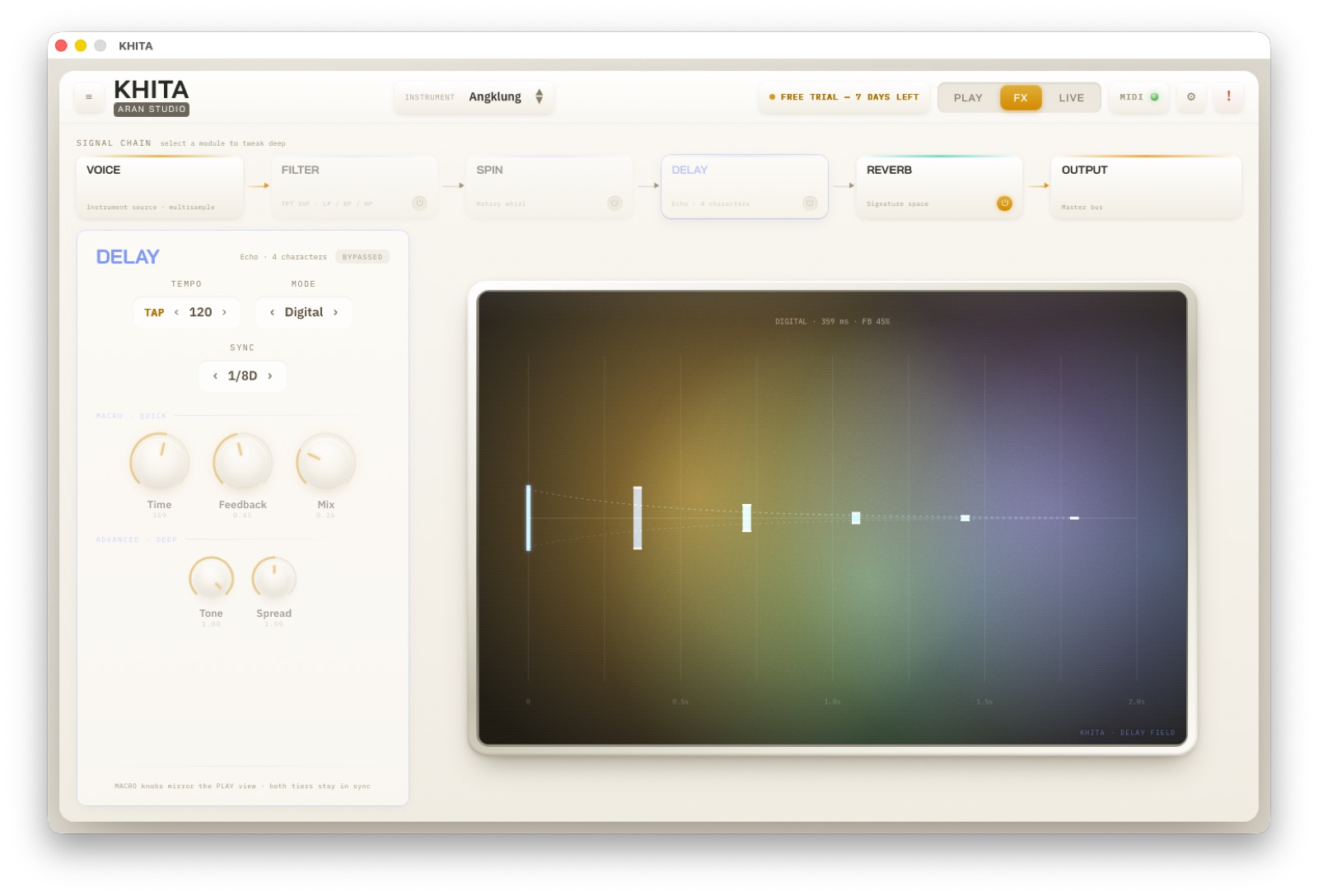
- Delay — 4 modes: Digital / Tape / Stereo / Ping-Pong, with Tone and Spread, and tempo sync to your DAW (Free, 1/1 through 1/16, dotted 1/8D included). In standalone you set the BPM yourself.
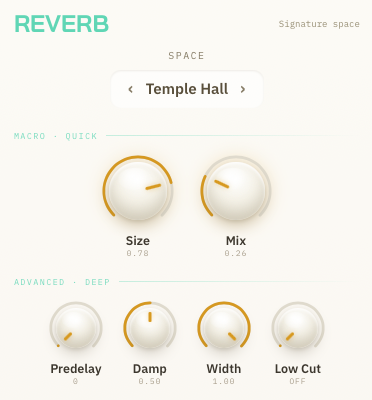
- Reverb — 6 spaces: Temple Hall / Sala / Cave / Plate / Room / Shimmer, with Predelay / Damp / Width / Low Cut on top of the Size and Mix you already have on the PLAY page.
- Output — a Stereo Width knob (0–200%) to narrow or widen the image, and a Limiter to keep peaks from clipping on stage.
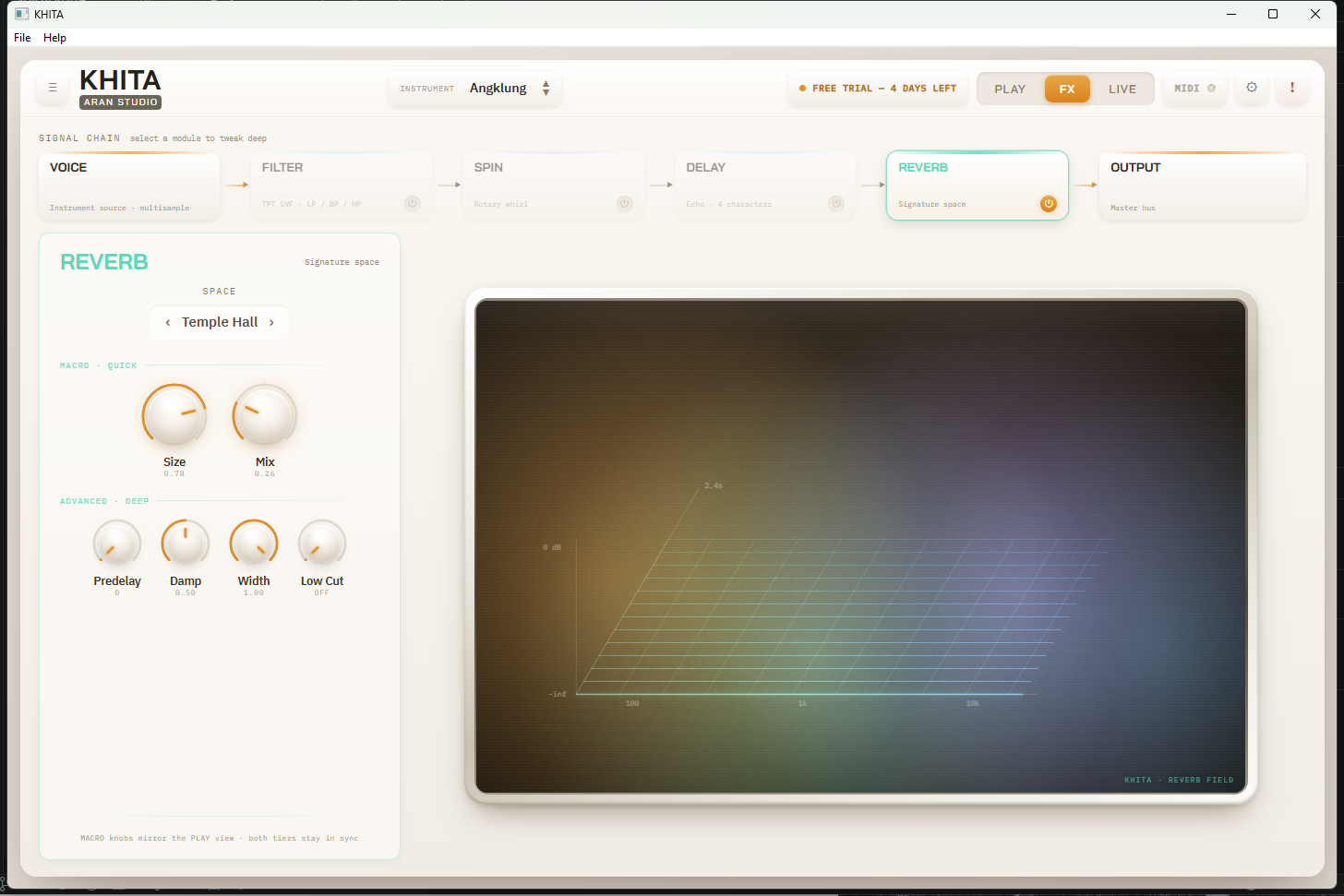
Every FX module splits into two tiers: MACRO · QUICK, the same headline knobs as the PLAY page (change either, both follow), and ADVANCED · DEEP for when you want to really build a sound. To the right, a Field display draws what that effect is doing, live.
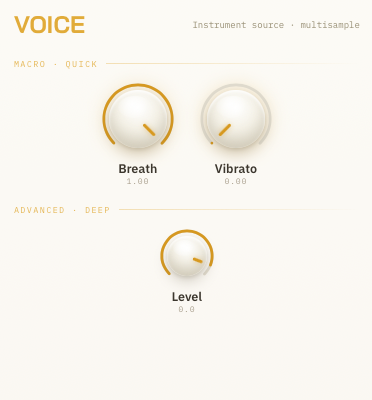
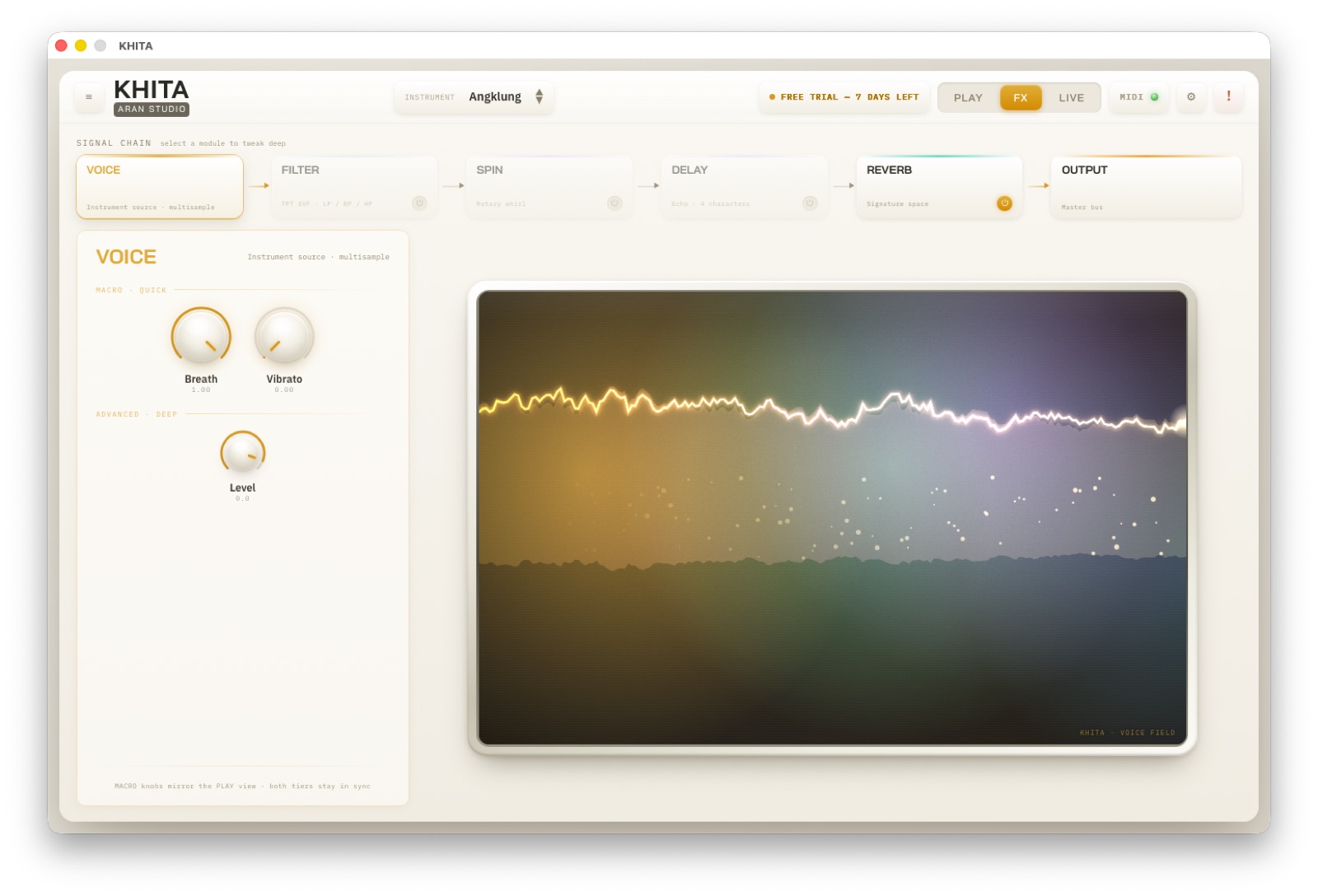
The source — real multisampled recordings of each instrument. Breath adds air and texture, Vibrato adds movement, Level sets the source gain. The Voice Field traces the waveform you are playing as a running line of light.
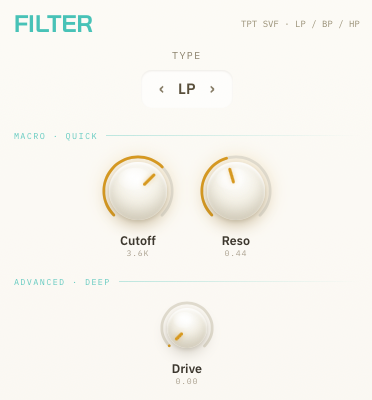
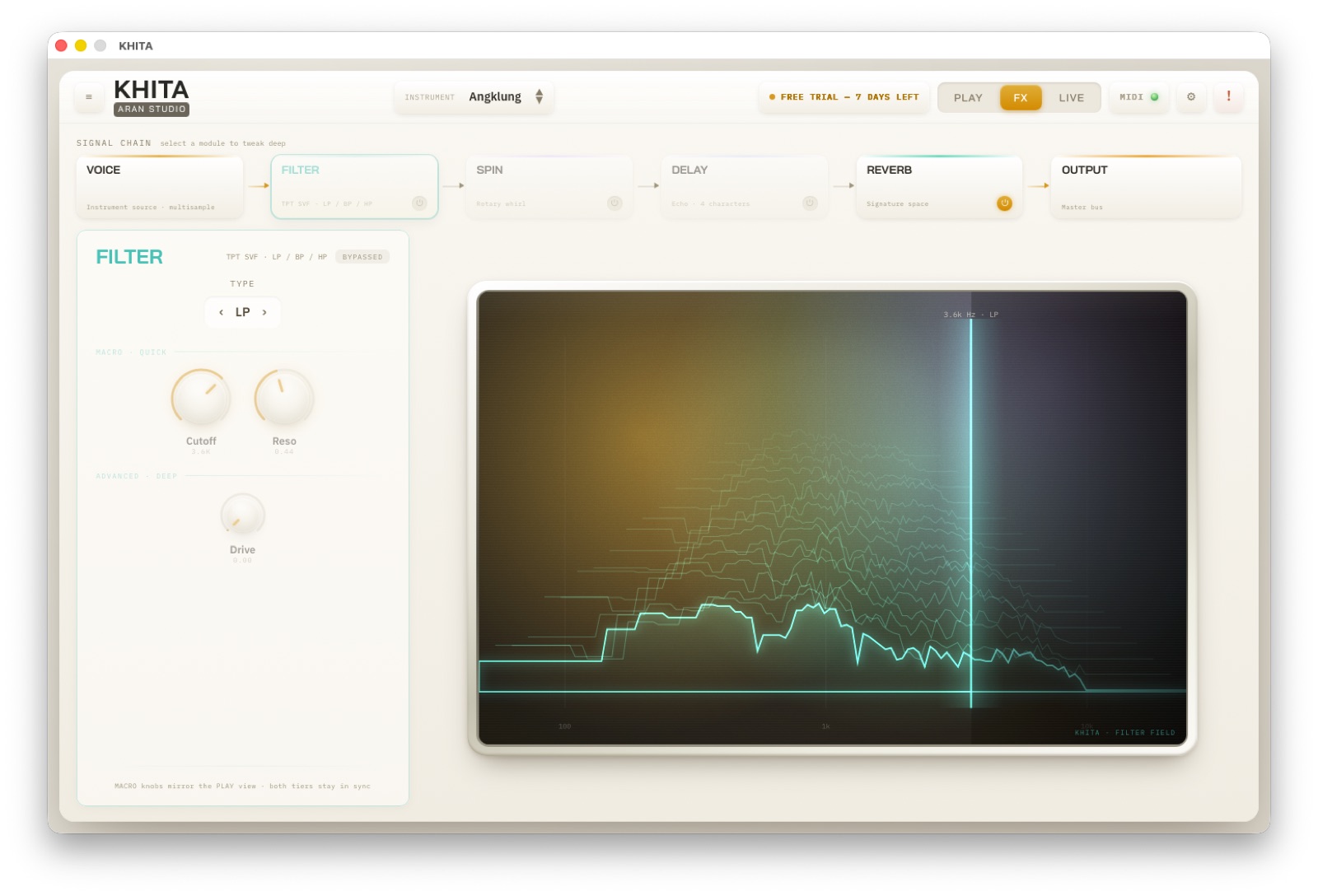
A synth-grade filter (TPT state-variable) in three types — low-pass, band-pass, high-pass — with Cutoff, Resonance and a Drive knob for saturated warmth. The vertical line on the Filter Field is the cutoff, drawn over the live spectrum: drag it and you see the result immediately.
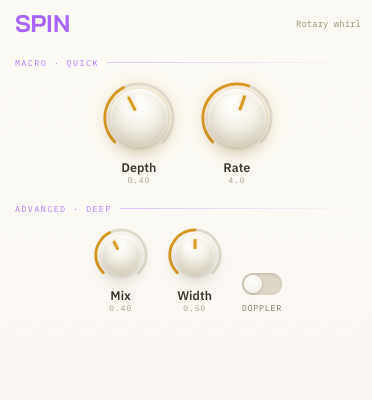
A rotating-speaker stereo effect: Depth for intensity, Rate for speed (shown in both Hz and RPM). The deep tier adds Mix, Width and a Doppler switch that models the physical swing. The Spin Field draws the orbit with a needle marking where the sound is right now.
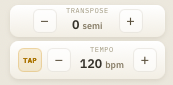
Four delay characters — Digital / Tape / Stereo / Ping-Pong — with three ways to set tempo: tap it with TAP, type a BPM, or sync to your DAW and pick a division from 1/1 to 1/16, dotted (1/8D) included. The deep tier adds Tone and Spread. The Delay Field plots each repeat along a 0–2 second timeline.
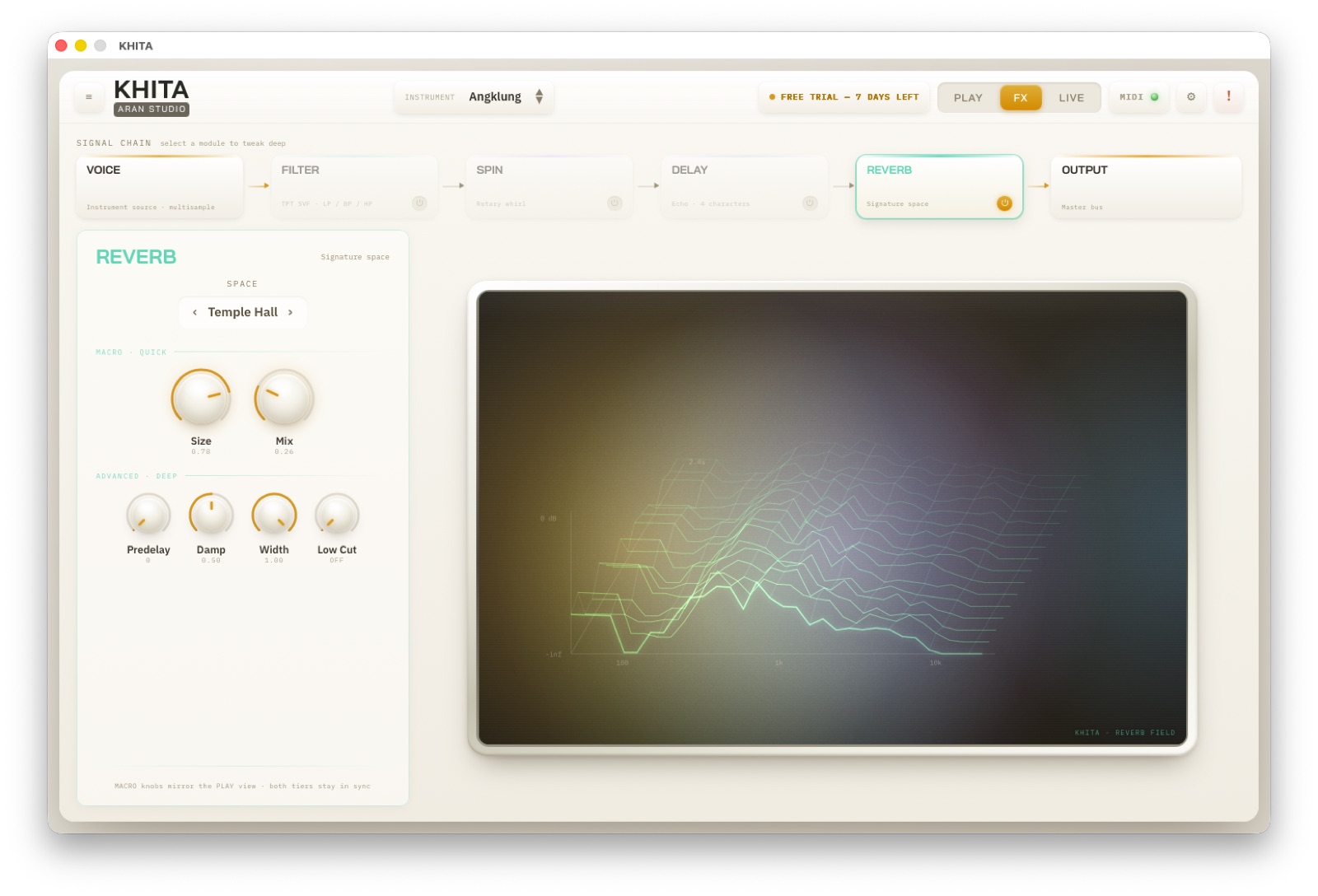
Six reverb spaces chosen to suit Thai instruments specifically: Temple Hall for a great temple hall, Sala for an open pavilion, Cave for deep stone, Plate for the studio classic, Room for something ordinary, and Shimmer for a floating sparkle. The deep tier gives you Predelay / Damp / Width / Low Cut. The Reverb Field draws the tail decaying band by band.
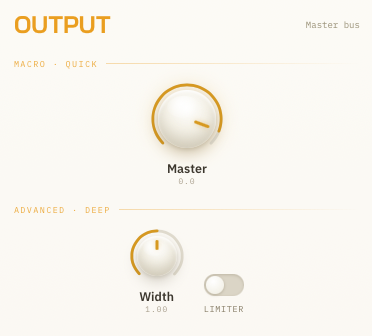
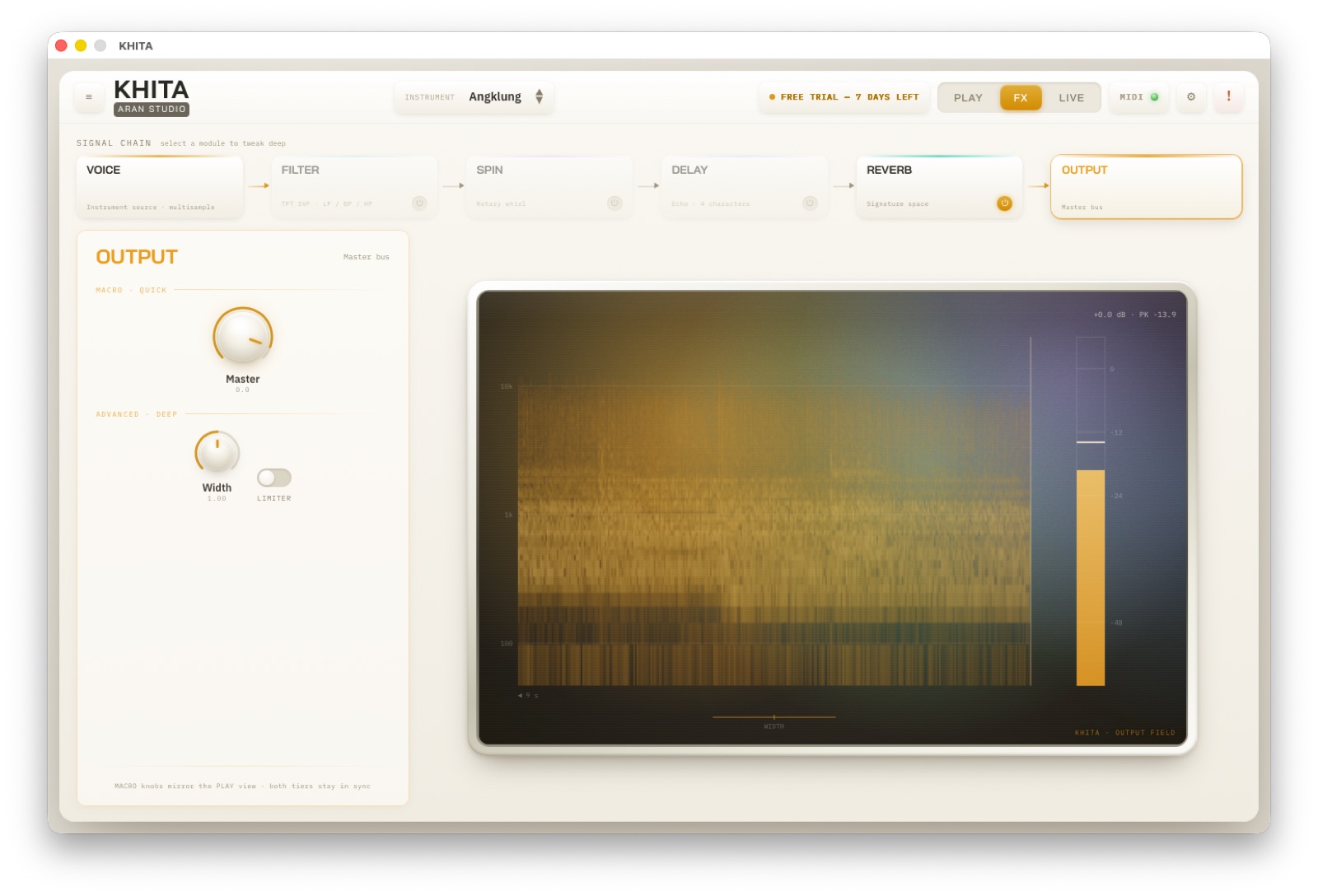
The last stage before the sound leaves: Master for overall level, Width to narrow or widen the stereo image, and a Limiter to stop peaks clipping on stage. The Output Field is a spectrogram with a level meter and a peak (PK) readout, so you know the real loudness before it hits the speakers.
Want a knob on your controller driving Filter Cutoff, or a fader on Reverb Mix, in real time? Right-click any knob in the plugin → choose "MIDI Learn" → move the knob or fader on your controller. Done — that physical control now drives that parameter. It works on every parameter in the program, and right-clicking again clears the binding whenever you like.
The mapping is global — set once, kept for good. It survives changing presets, changing instruments, closing a DAW project and restarting the plugin, exactly like the CC assignments on a hardware synth. Your controller is ready every time you open KHITA, with nothing to redo.
How is this different from MIDI Learn on the LIVE tab? The LIVE one binds a button to "switch preset/instrument". This one binds a knob to "sweep a parameter continuously". Use both together: buttons to change sounds, knobs to shape them live, mid-song.
🔴 LIVE — built for the stage
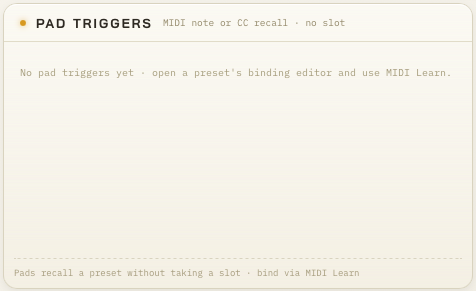
The LIVE tab is made for performing. Recall Slots — ten of them — bring a preset back instantly via Ctrl+1-9,0 or MIDI Program Change 0-9 from your keyboard or controller. Pad Triggers bind a MIDI note or CC to a preset without using up a slot (bound through MIDI Learn). And the Preset Library holds everything you have saved.
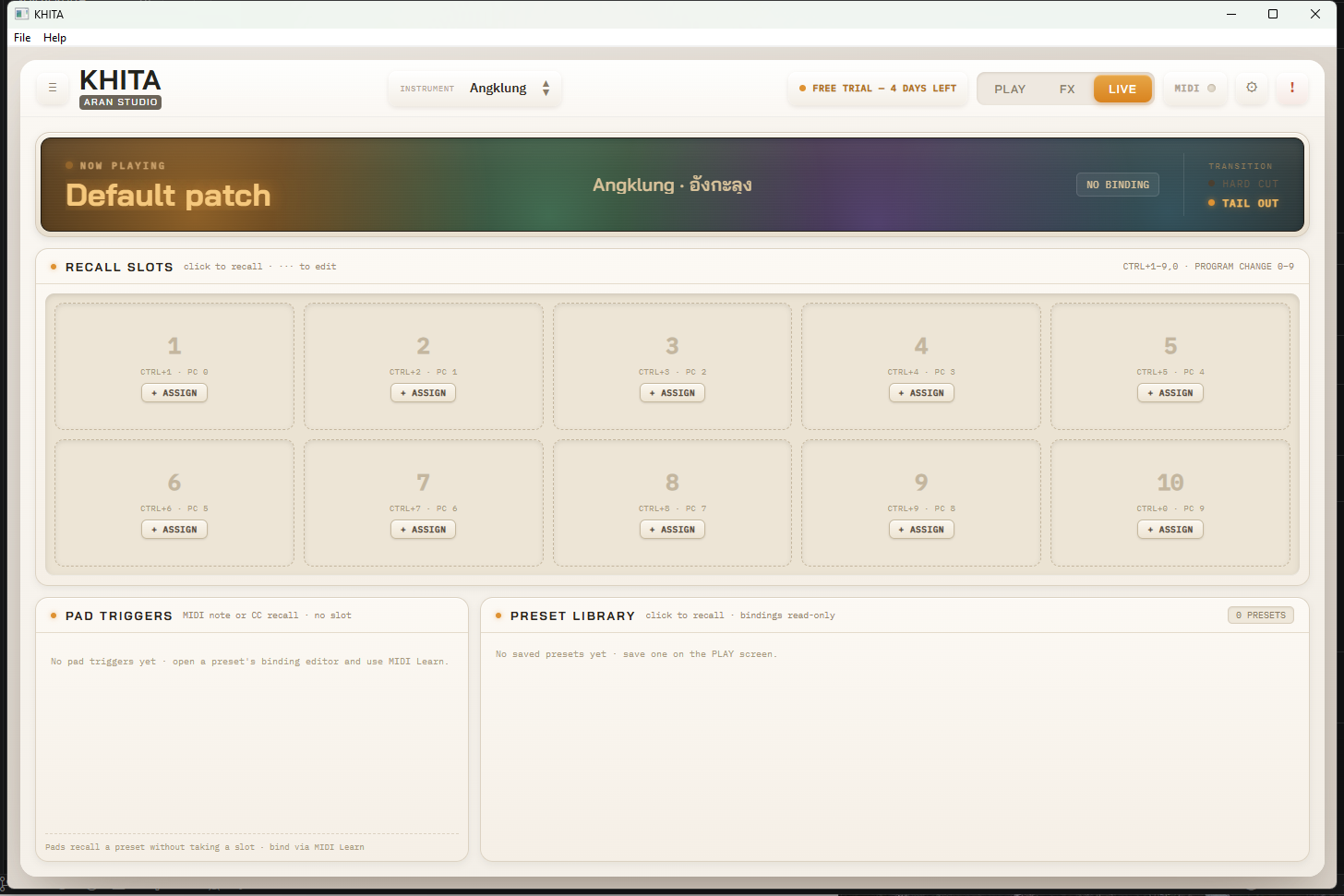

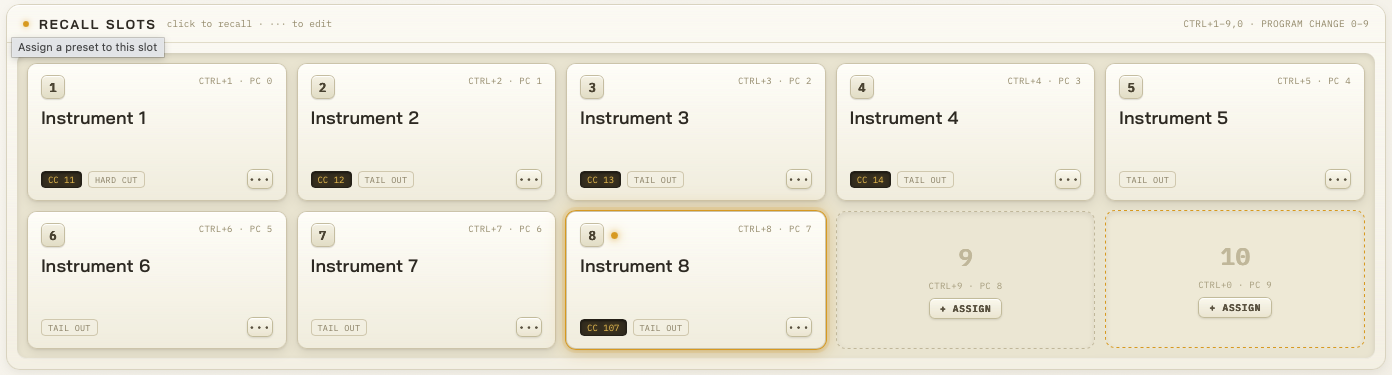
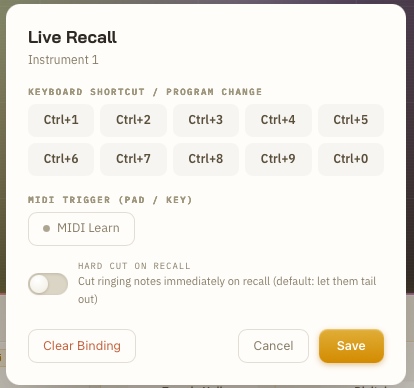
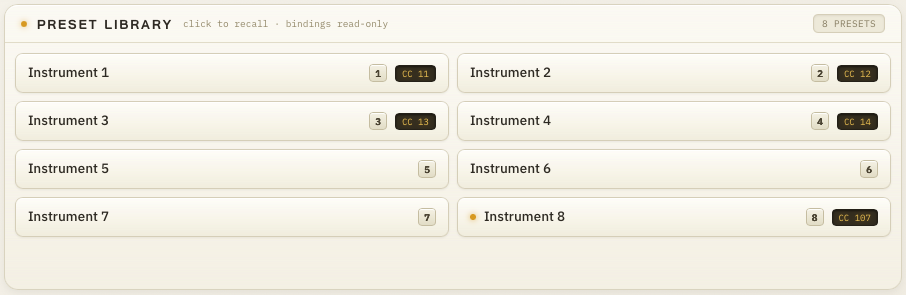
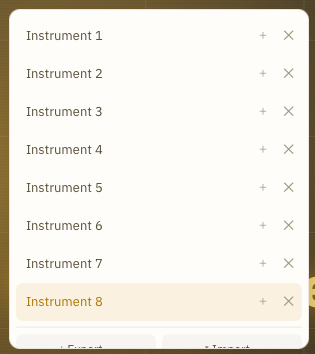
Live preset recall in most plugins accepts notes only — a piano key, a drum pad. But plenty of controllers (the mode and utility buttons on a MIDI keyboard, footswitches, buttons on a mixer) do not send notes at all: they send MIDI CC. If the software only listens for notes, pressing those buttons does nothing whatsoever.
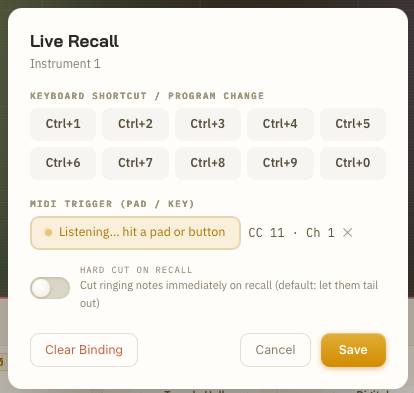
KHITA fixes that: PAD TRIGGERS bind either kind from the same place. Hit MIDI Learn and press whatever you want to use — a normal note gets tagged as ♪ E1, a MIDI CC gets tagged as CC 11, automatically. It even handles latching toggle buttons that alternate 0 and 127 on a single press — the preset fires every time you hit it, not every other time.
Why it matters: on stage you use whichever button falls under your hand — not just keys and pads — and switch instrument or preset without taking a hand off to click a screen and lose the groove.
How to do it: go to the LIVE tab → open the binding editor ("···" on a Recall Slot, or the PAD TRIGGERS box) → hit "MIDI Learn" → press the button or key you want → choose the preset or instrument it should recall → save. From then on, one press mid-performance and KHITA switches instantly.
⚙ MIDI & Settings — audio, devices, license
The ⚙ icon top right opens the menu: Audio/MIDI Settings (choose your audio device and MIDI input — standalone only), Enter License… (after you buy), Check for Updates and Reset to Default.
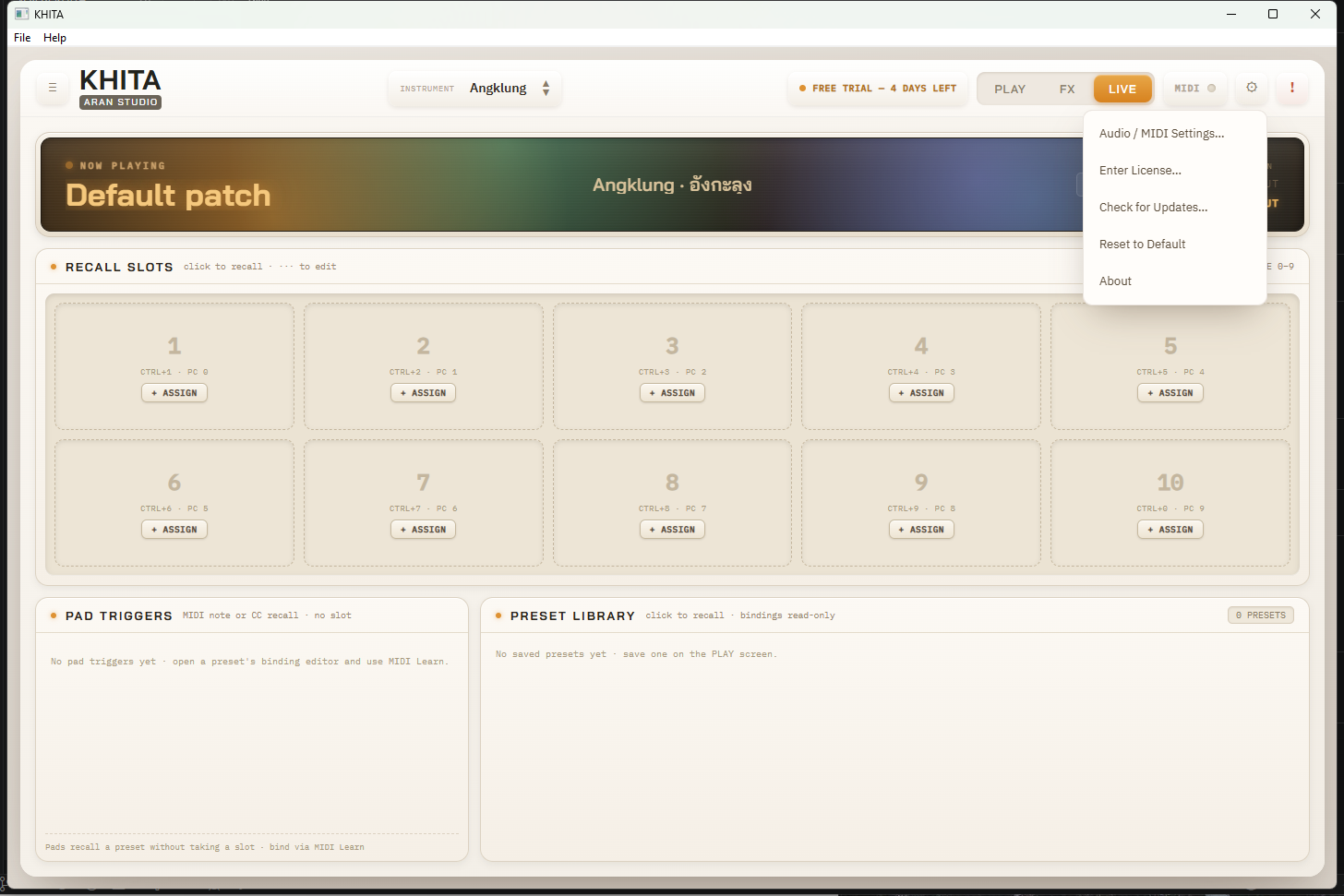
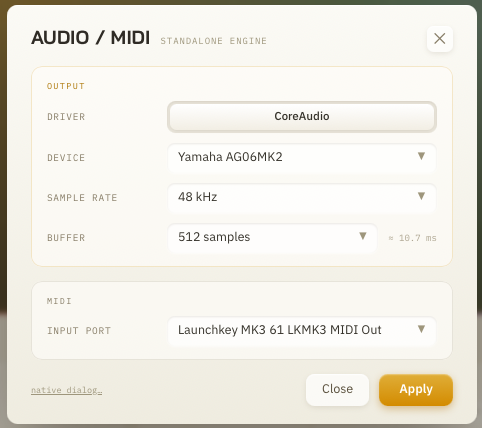
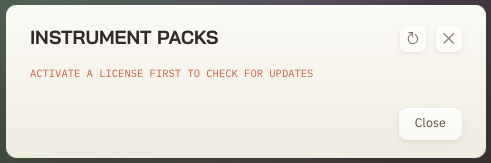
KHITA does not stop at the 42 instruments you bought. As new ones get recorded and edited, they ship as small packs you download inside the app — no reinstalling the whole thing — and they are free forever to anyone with an active perpetual license. (The trial cannot download packs; activate a license first.)
- Click the ⚙ icon top right → "Check for Updates…". If something new is waiting, an orange dot appears on the icon before you even open it.
- The window lists every instrument pack with its state: not installed / update available / installed ✓.
- Hit download on the pack you want — a progress bar shows while it lands.
- The moment it finishes, that instrument appears in the browser. No restart needed.
A note: we do not announce what the next instrument will be. New ones simply appear in this window when they are genuinely ready. Follow ARAN STUDIO on social media for news.
🎼 It really does work in your DAW — not just a marketing line
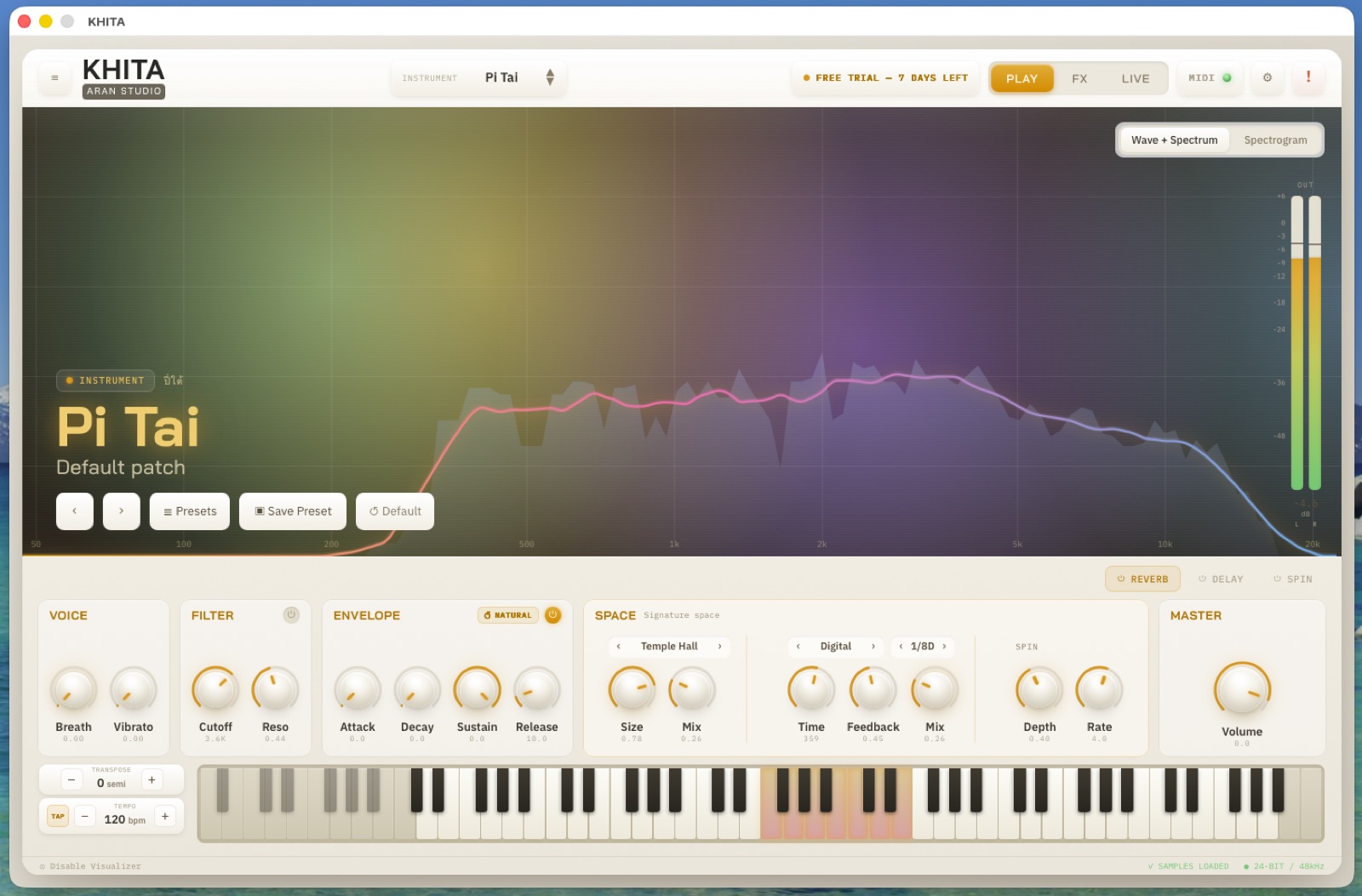
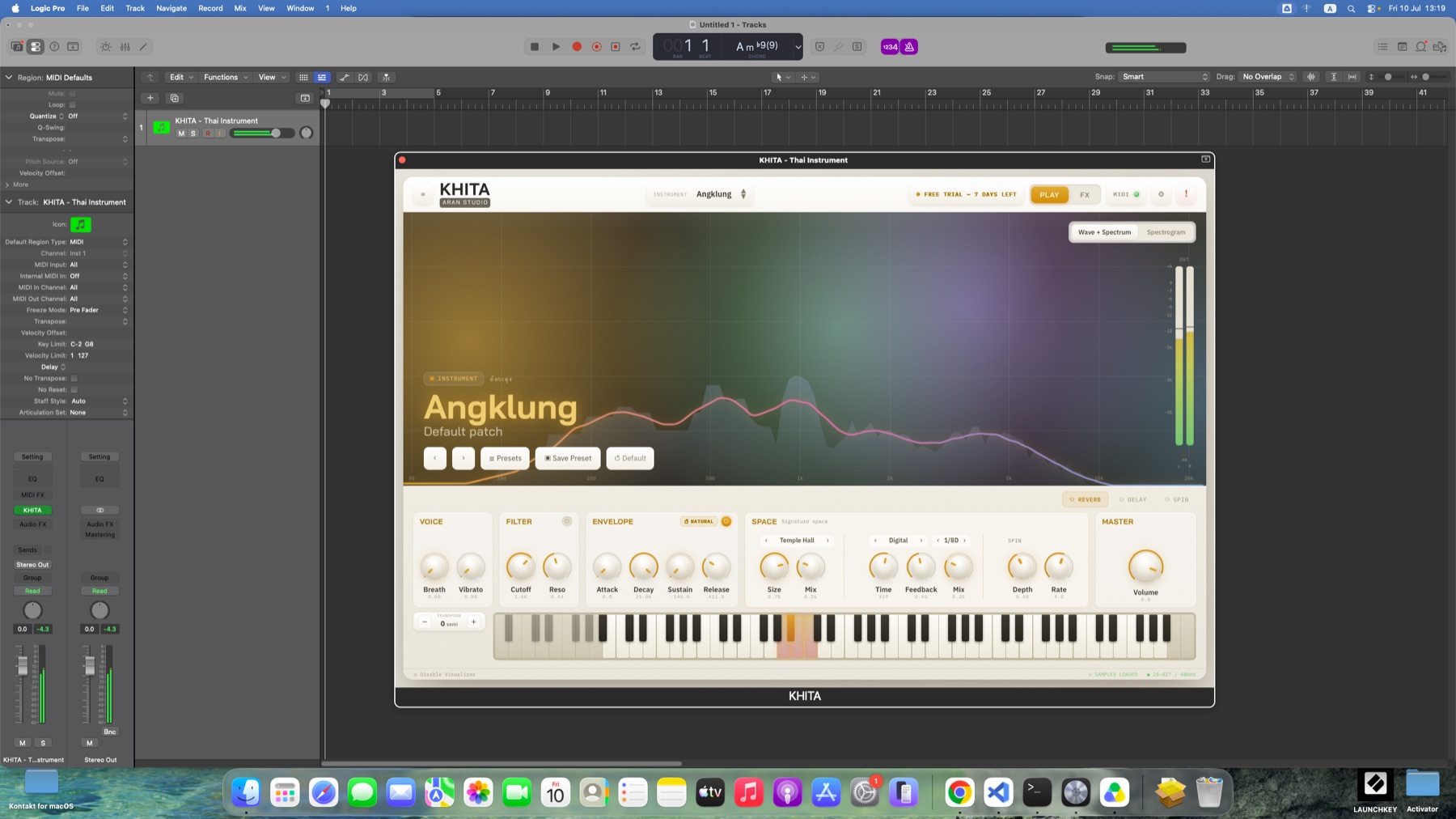
Load KHITA on an instrument track like any other professional plugin: record MIDI, write automation, freeze the track, mix it alongside everything else. The screenshot below is KHITA running as an AU plugin in Logic Pro on a real Mac, with a recorded "KHITA – Thai Instrument" track. Cubase, FL Studio, Reaper, Bitwig, Studio One and the rest work the same way (VST3/CLAP on Windows · VST3/AU on macOS).
How to install
Both installers are still unsigned, so your operating system will warn you before the first launch. The steps below get you past it. Nothing is broken and nothing is wrong with the file.
- Log in or sign up here, then download the installer from the button above (
KHITA-Setup.exe). - Run it. If Windows shows "Windows protected your PC", click More info → Run anyway.
- Pick the formats you want — Standalone (its own app, no DAW needed), VST3 or CLAP (for Cubase, Reaper, FL Studio, Bitwig and so on). You can tick more than one.
- Rescan plugins in your DAW (most do it automatically) and "KHITA" appears under Instruments.
- Log in or sign up here, then download the installer from the button above (you get a
.pkg.zip) and double-click to unpack it into a.pkg. - macOS blocks the
.pkgfrom opening because it is unsigned. To get past it, open Terminal (Spotlight ⌘Space, type "Terminal") and type this command — note the trailing space:xattr -crthen drag the unpacked .pkg from Finder into the Terminal window (the path types itself) and press Enter. The installer now opens normally. - Run the installer (double-click the .pkg again) and enter your Mac password when asked — it installs Standalone (into /Applications), VST3 and AU in one pass.
- Rescan plugins in your DAW (most do it automatically) and "KHITA" appears under Instruments.
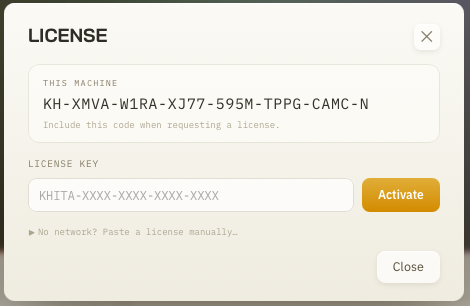
- First launch: hit ⚙ → Enter License… and you are automatically in the 7-day trial. Nothing to fill in.
- Already bought it? Paste the license key from your email into the same field and hit Activate (internet needed for that first activation only).
❓ Frequently asked questions
Tap a question to see the answer — or ask Nong Khita in the chat any time.
💰 How much does it cost?▼
KHITA is ฿7,000 — pay once, own it for life, no monthly or yearly fee 💰 One license activates on 2 machines at once (mixed Windows/macOS is fine), and every new instrument pack we release is a free download. Not sure yet? Take the trial for 7 days first.
🎶 What is KHITA?▼
KHITA is a Thai and folk instrument plugin from ARAN STUDIO 🎶 It holds 42 authentic Thai instruments that you can play straight and realistic, or push into synthesizer territory with the built-in effects. Use it in your DAW, or open it as a standalone app.
🪕 Which instruments are included?▼
Forty-two, in three families 🪕 • Melodic — 17: Angklung, Khim, Klui, the small and large gong circles, Phin Prong, Pi Mon, Pi Nai, Pi Tai, all three Pijum sizes, Pong Lang, Ranat Ek and Ranat Thum, Seung, Wot • Thai drums — 14: Klong Khaek, Klong Yao, Klong That, Thai and Mon Taphon, Poeng Mang, Klong Nora, Thon Chatri, Thon Rammana and more • Percussion — 11: Ching, small and large Chab, Krap, Krap Phuang, Kraw, Mong, Khong Hui and more The full list with descriptions is in the "All 42 instruments" section on this page, and new packs keep arriving free for anyone who has bought it.
💻 Which DAWs and systems are supported?▼
Both platforms are covered 💻 • Windows: Standalone / VST3 / CLAP • macOS: Standalone / VST3 / AU It runs in the major DAWs — Cubase, Reaper, FL Studio, Bitwig, Logic and the rest. No DAW? Open it standalone and play it on its own.
🎛 How well does it work with a MIDI controller?▼
Thoroughly 🎛 KHITA gives you MIDI Learn at two levels: 1) Preset level (the LIVE tab) — bind a button, key or pad (it takes both notes and MIDI CC) to switch instrument or preset mid-song, through 10 Recall Slots plus Pad Triggers. 2) Knob level — right-click any knob → MIDI Learn → move a control on your hardware. That control now drives the parameter in real time, and the mapping is remembered permanently, like a hardware synth. Sustain pedal (CC64) is supported to standard too.
🎚 What effects are built in?▼
A complete chain 🎚 Voice → Filter (LP/BP/HP with Drive) → Spin (stereo rotation with a Doppler mode) → Delay in 4 modes (Digital/Tape/Stereo/Ping-Pong, syncable to your DAW) → Reverb with 6 spaces (Temple Hall, Sala, Cave, Plate, Room, Shimmer) → Output (stereo width + limiter). Every module opens up for deep editing in the FX tab, so you never need to reach for another plugin.
📥 What does the free trial include?▼
A full 7 days 📥 The trial unlocks 20 of the 42 instruments for unrestricted play, counted from your first launch. Create a free account here, hit the download button above, and the trial starts automatically — nothing to fill in. (The instrument list on this page marks which ones with an "In trial" tag.)
🔑 How many machines can one license run on?▼
It is a one-time purchase (฿7,000, paid once) with no subscription 🔑 One license activates on 2 machines at once — say a desktop and a laptop — and it works across platforms: one Windows machine plus one Mac counts as your two, because the system counts machines, not operating systems. The license binds securely to the hardware, and you only need internet for that first activation. Changing computers or want to move it? Message the admin in the chat and we will sort it out.
🔄 Do new instruments keep coming?▼
They do, and they are free forever to anyone with an active perpetual license 🔄 New instruments ship as small packs you download inside the app (⚙ → Check for Updates…). Once a pack lands the instrument appears in the list immediately — no reinstall. (The trial cannot download packs; activate a license first.)
🧩 How do I install and activate it?▼
Download the installer from the button at the top of this page (log in first) 🧩 The installer is not code-signed yet, so your OS warns you before the first launch — it is not a virus, just the standard warning for a file not registered with Microsoft or Apple: • Windows shows "Windows protected your PC" → More info → Run anyway • macOS blocks the .pkg → run the short Terminal command in the "How to install" section further down this page (it is spelled out step by step) After installing, rescan plugins in your DAW and "KHITA" appears under Instruments. First launch puts you in the 7-day trial automatically. Already bought it? ⚙ → Enter License… → paste the key → Activate.
🖥 What are the system requirements?▼
Here you go 🖥 • Windows: 64-bit (Windows 10/11) • macOS: 10.15 Catalina or later — native on both Intel and Apple Silicon (M1/M2/M3) as a Universal Binary, no Rosetta needed • Disk space: allow about 1.5 GB (the program plus all 42 instruments) Any normal music-production machine handles it comfortably.
📱 Is there a mobile or iPad version?▼
Not yet — KHITA runs on Windows and macOS computers only 📱 There is no iPad, iPhone or Android version. To hear it first, watch the demo video on this page, or take the free 7-day trial on a computer.
🎹 Does it work in Logic / FL / Cubase?▼
Yes 🎹 By platform: • macOS: Logic Pro and GarageBand use the AU; other DAWs use VST3 • Windows: Cubase, FL Studio, Reaper, Bitwig, Studio One and so on use VST3 (or CLAP where supported) • The exception: Pro Tools is not supported — KHITA has no AAX build.
⏳ What happens when the 7 days are up?▼
The trial ends ⏳ but the program does not slam shut — it still opens. Audio simply fades to silence after a short stretch of continuous play until you enter a license key. Crucially, every preset and setting you saved is still on your machine: activate and you carry on exactly where you were. Liked it? Hit "How to order" in this chat.
📮 When do I get my key after paying?▼
After you transfer 📮 attach the slip in the order chat with your name, email and the machine code from the app → the admin verifies the amount → your license key is sent by chat and to the email you gave. You can follow the status in the chat the whole way (slip under review → payment verified → license issued). A real person checks every order, so it may not be instant — but it will not take longer than the same day.
🔍 Where do I find my machine code?▼
Easy 🔍 Open KHITA (any mode) → click the ⚙ icon top right → "Enter License…". Your machine code is shown right there, starting with KH-. Copy it and send it to the admin with your order.
🌐 Does it need to stay online?▼
No 🌐 It runs fully offline. You need internet once, to activate the license (and when downloading extra instrument packs). If the machine has no connection at all, there is a manual activation path — copy the code via another computer. Message the admin in the chat and we will walk you through it.
💻 Moving machines / installing on a second one▼
One license covers 2 machines at once 💻 For the second one, use the same key with that machine's code — nothing more to buy. Changing computers, wiping one, or selling the old one? Message the admin with your key and we will move the activation for you.
🧾 Invoices / discounts / other terms▼
Paperwork, discounts, refunds or a licensing question specific to your situation are best answered by a real admin 🧾 Hit "How to order / bank details" to open a chat with them — leave your question any time and they will reply.
🛠 Something is not working▼
Try these first 🛠 1. Open it standalone — is there sound? If not, ⚙ → Audio/MIDI Settings and pick the right audio device. 2. In your DAW: check the scan found KHITA under Instruments, and that the track has monitoring on. 3. ⚙ → Check for Updates to see if there is a newer build. Still stuck? Message the admin in the chat and include your Windows/macOS version and which DAW you are using — that speeds things up a lot.
🇹🇭 What KHITA is for
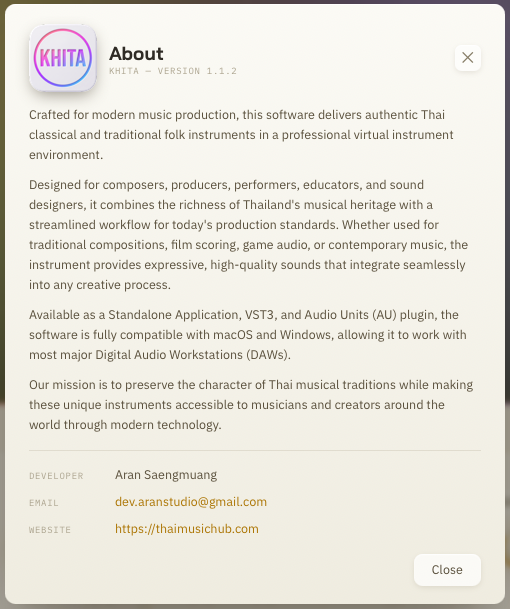
KHITA was built for modern music production — bringing genuine Thai and folk instruments into a professional virtual-instrument environment. It is made for composers, producers, players, music teachers and sound designers, and it holds up across traditional Thai repertoire, film scores, games and contemporary songs alike.
Our aim is to preserve what makes Thai music itself, while putting these instruments within reach of musicians and creators anywhere through modern technology. Every note you play through KHITA carries a piece of Thailand's musical heritage a little further out into the world.
Questions / buy
Ask about price, features or system requirements, request bank details, or track your order in the chat below — pick a topic or just type your question.